Table of contents
Overview
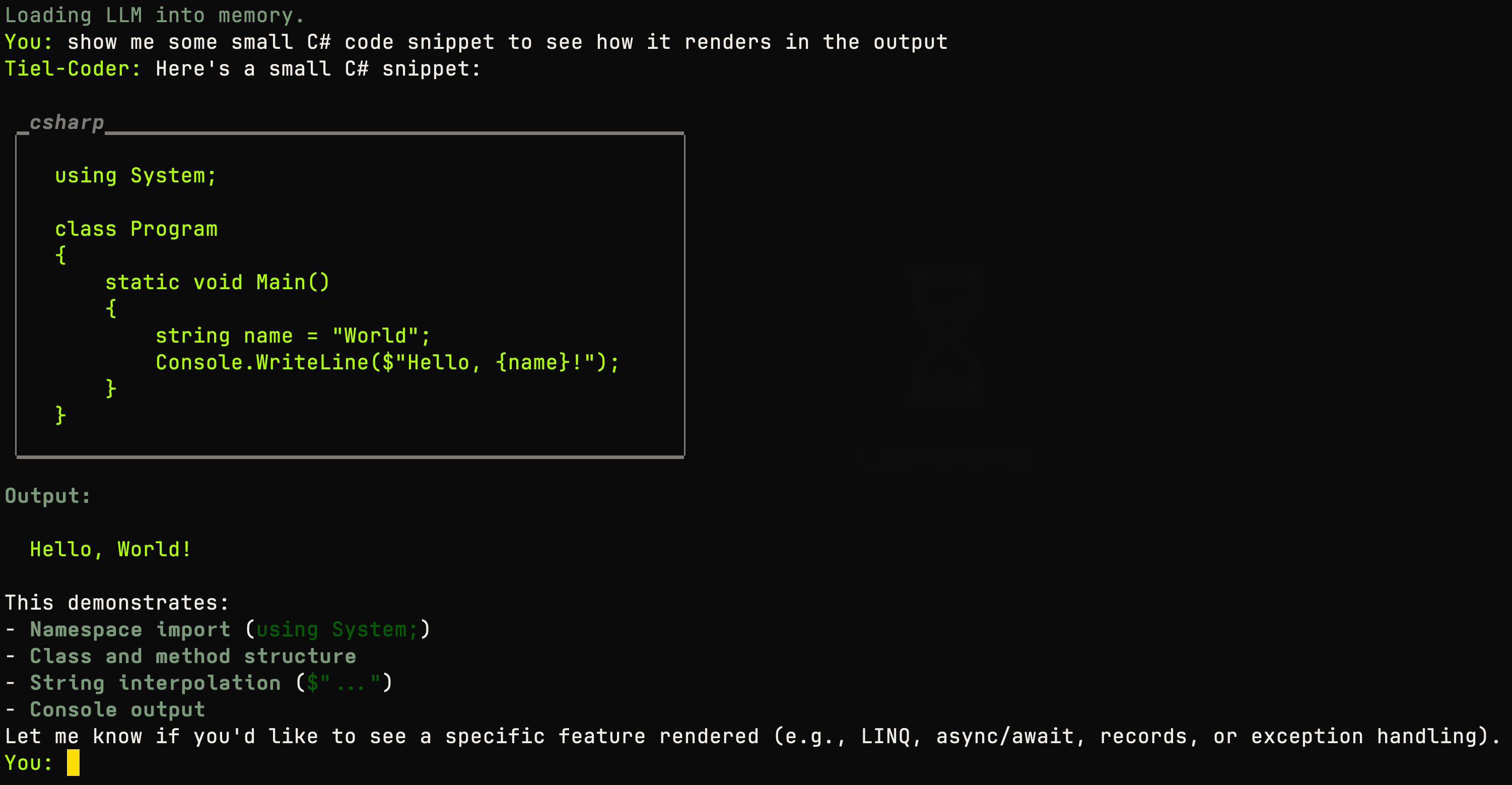
I wanted to see how hard it would be to run a local LLM with .NET. Turns out not that hard. This is a console app that downloads the model configured in llm.json, loads it into memory, then you chat with it straight in the terminal. Replies come back as Markdown, with code blocks properly syntax-highlighted.
Should work cross-platform since it’s just LLamaSharp and GGUF. Change the Url in llm.json to try a different model. I used a GGUF model on my Mac since MLX is still an issue with .NET.
What I used
- LLamaSharp — loads and runs the GGUF model locally, no external LLM server needed.
- Semantic Kernel — wraps LLamaSharp so chat completion goes through the normal
IChatCompletionServiceinterface. - Spectre.Console — the download progress bar, the spinner while it’s thinking, and the Markdown rendering for replies.
- Model download resumes from where it left off if interrupted, so you don’t lose progress on a multi-gigabyte file.
- Graceful shutdown on
Ctrl+CandSIGTERM, same as the .NET 10 console demo.
Notes
Default model is Tiel-Coder from Hugging Face. Update llm.json to try something else. The Name parameter in the json file is just for fun to display some name in the chat.